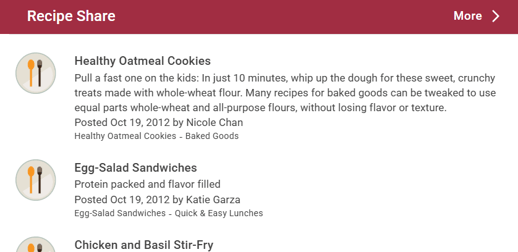
With a recipe exchange App you can:
- hold a contest for Best Recipe, with users picking the one they like best by using the 'thumbs up' rating feature
- promote a weekly appetizer or dessert on your site
Build Your Recipe Share
Start by following the process to add an App to a site.
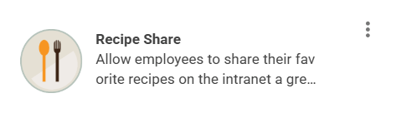
Once you have the App in place, click on the three columns on the App Card to explore available customizations. To open the App, click 'Go to App'
You can either upload new contents directly or create a list of folders to group new contents.
To add new content, click New > Item
To create new sub folder, click New > Folder > Add new content to selected folder.
Default Recipe Share Layout
The Recipe Share App comes with a standard 'List View' & 'Detail View' layout for its default home page. All layouts can be customized.
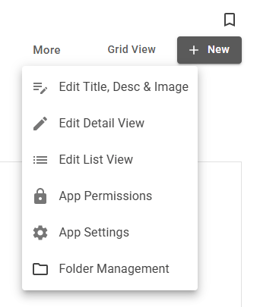
Detail View
Choose which field to include. Drag and drop the field to reposition it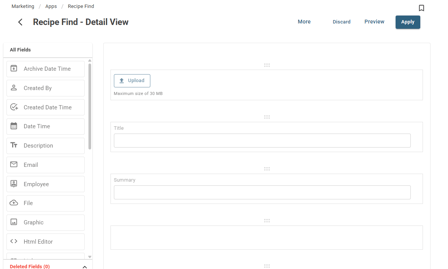
List View
Choose which column to include. Drag and drop to reposition it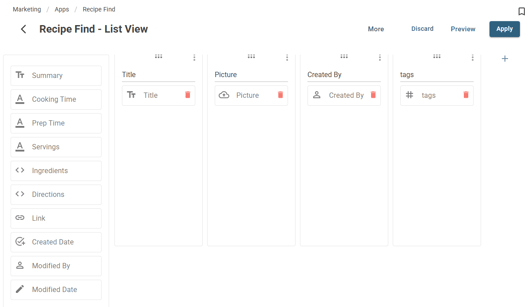
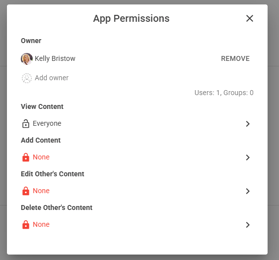
Add, Edit & Delete App Permissions
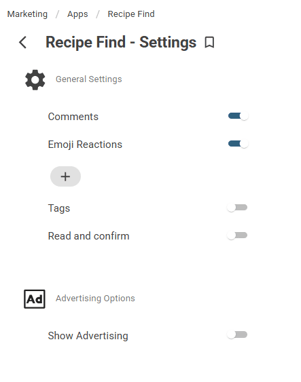
App Settings
Export App Template
Promote items
Create New content, click publish and the Promote window will be displayed.
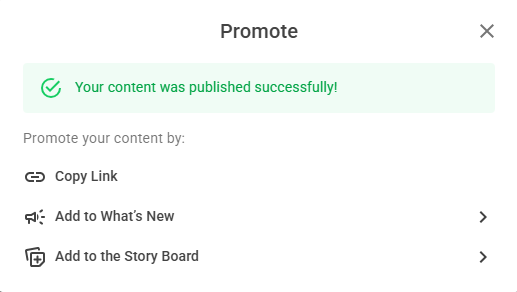
To see details on the What's New feed widget, click here. To see details on the Story Board, click here.
Display the Recipe Share app in a Widget
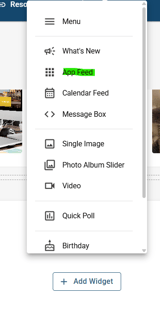 >
> 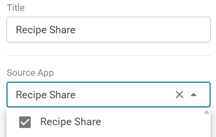 >
> 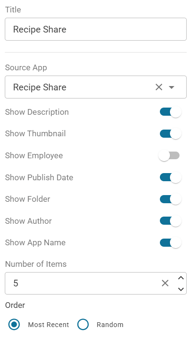
Recipe Share Widget Display