
File Uploader is a specific type of App imported from 3.0 template that is ready for files to be added. Files are managed using a document repository, which organizes files using folders.
In this article
Read & Confirm and Review Content
App Settings
Instructions below are for 3.0 File Uploader (Documents & Policies) >
> 
Settings for the Documents & Policies App are put in place by an intranet Admin, as for all Apps. App settings are accessed by clicking the three columns on the App card.
There will be some differences in the drop down menu you see based on how the Doc App was created. [Migrated from 2.0 vs Created new in 3.0]
To use the customizable legacy (2.0) document app instead, simply reupload or import this template
More Options:
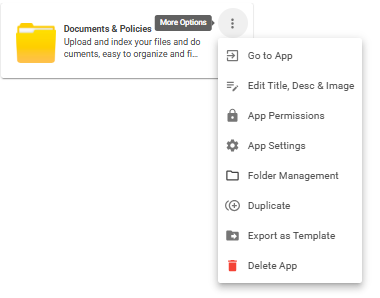
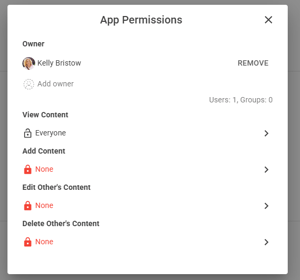
App Permissions
Add, Edit & Delete App Permissions: Edit 'View Content', Add Content, Edit 'Other's Content' & Delete 'Other's Content'
App Settings
Toggle comments, emoji reactions, Read & Confirm and Advertising Options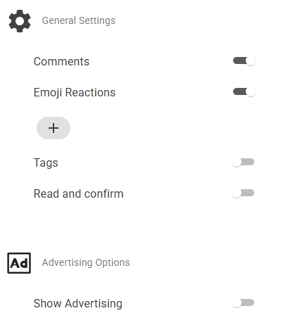
Export App Template
Customized App template can be exported and imported in a different site
To import: Open Site Card > Apps > Create App from Template > Import Template > Selected downloaded template to import (.icapp file)
> 
Promote items
Create New content, click publish and the Promote window will be displayed.

To see details on the What's New feed widget, click here. To see details on the Story Board, click here.
Example of new content advertised to the What's new feed widget:
-
New content

Example of updated content advertised to the What's new feed widget:
-
Updated content
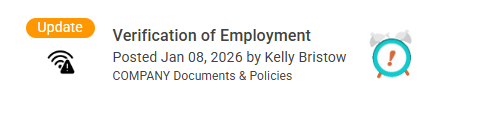
Read & Confirm and Review Content
Read & Confirm and Review Content are two functions which help keep documents and users up-to-date.
Read & Confirm
Read & Confirm is a function of the Documents and Policies App which allows for users to acknowledge that they've read a key document (e.g. harassment policy), so a manager can track at a glance if a group or specific staff have complied with the requirement. Read & Confirm allows a manager to track which staff members have read a specific required file and acknowledged that they've done so.
Click App options > App settings > Toggle on 'Read and Confirm'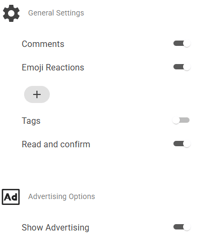
Publish content > Click More Settings on the content level > Turn on Read & Confirm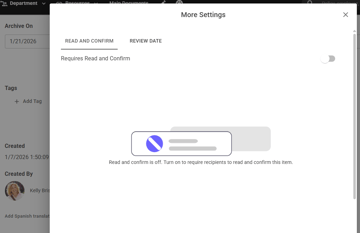
Review Content
The Review function of the Documents and Policies App allows for a reminder that a document or policy is due for a review to ensure its currency and accuracy. When a Review Content date is added to a file, the document's owner is automatically alerted that the document needs to be reviewed for accuracy and currency.
A common issue is for documents, policies, etc. to get added to a Document Repository and go stale because they were added and never reviewed. The Review On feature addresses this issue by giving a reminder to the document owner that it's time to review - and potentially update - their document.
Publish content > Click More Settings on the content level > Turn on Read & Confirm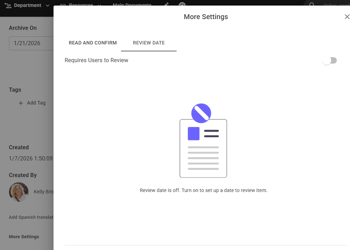
Archive Content: (complete archiving system to be released)
Archive field is defaulted in the Docs App layout. To customize > Edit App Detail View > Remove 'Archive on' field or Make field required
Add Archive date on a content level before publishing
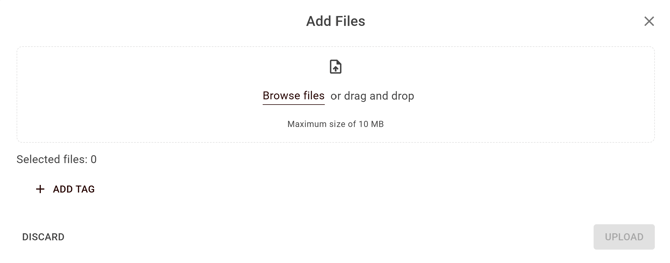
Multiple File Upload
Multiple file upload is a time saver for getting files into the intranet.
File Versioning
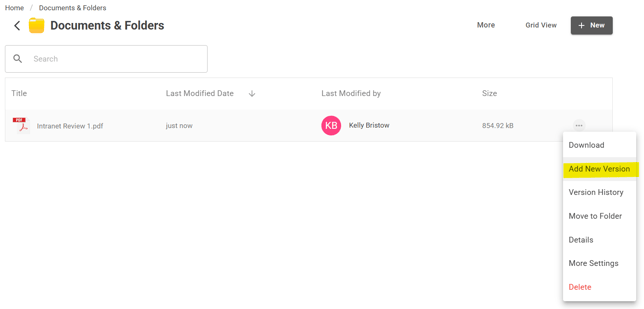
To start utilizing the File Versioning functionality, after a document is uploaded into the Documents app, you will see an option for Add New Version. Click Add New Version to upload a new version of the document. The new file will be set as the current document, and previous file uploads will be retained as versions.
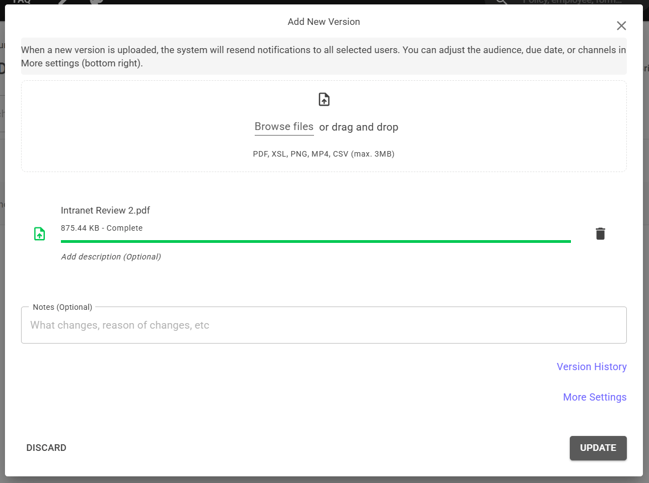
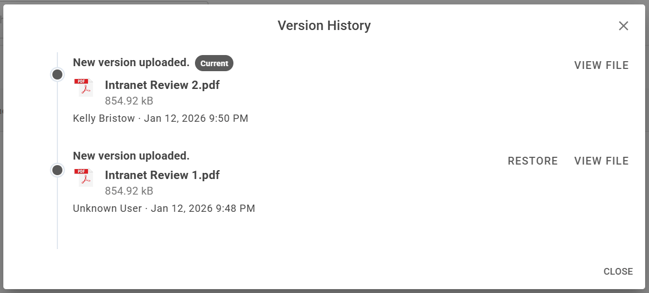
Once a new version is uploaded, click on Version History to view past versions and confirm which version is the current version.
Edit Content
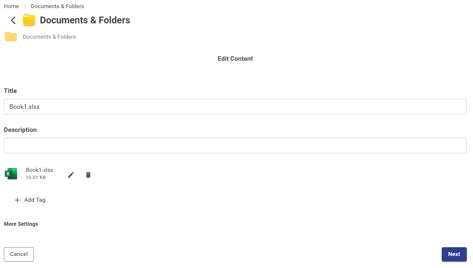
The new Documents app is a simple file manager and focuses on being a file upload and storage application with default fields
v3.0 Doc App (Unable to add new fields or customize layout due to mobile compatibility for this new application)
Available default fields: Title, Description, File Uploader
Folder Directory
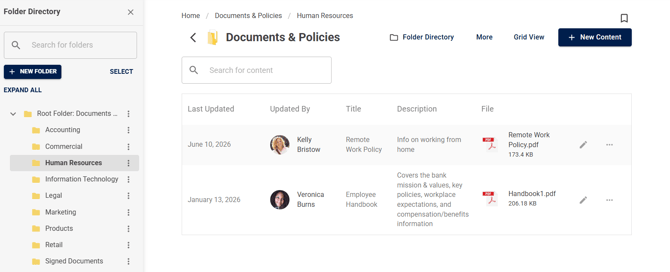
With the Folder Directory, you can:
- Access folder management from clearer entry points
- Move folders between locations
- Bulk select and delete folders