To add the Video Widget:
Edit Current Page > Add Section > Add Video Widget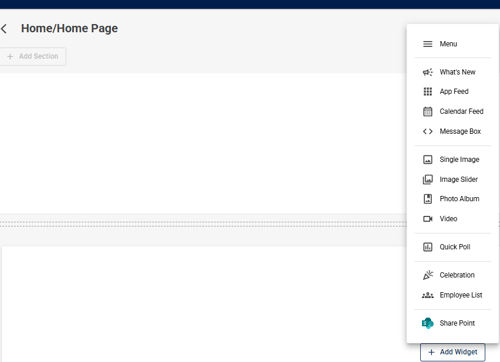
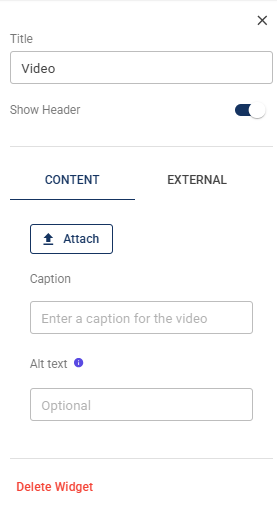
To configure the Video Widget:
- Enter a Title for the widget.
- Choose whether to Show Header.
- Under Content, click Attach to upload a video.
- Add an optional Caption to provide context for the video.
- Add Alt Text to describe the video for accessibility.
- Use the External tab to add an external video source, if applicable.
- Click Publish to save your changes.