Quick Poll
The Quick Poll Widget allows you to create a question and collect responses from employees directly within your intranet.
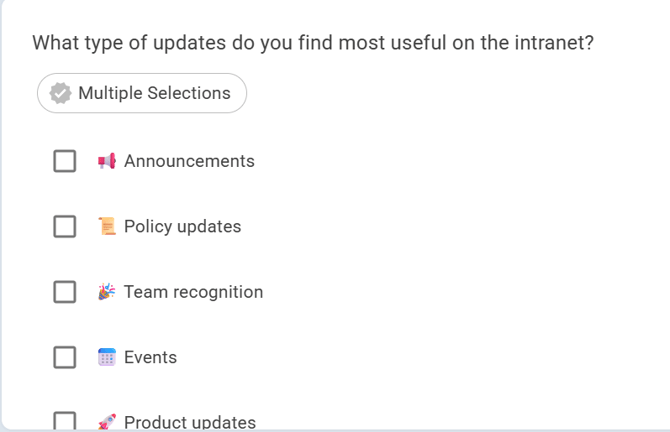
You can customize the poll question and provide multiple answer options. You can also allow users to select multiple answers or submit responses anonymously.
Polls can be scheduled with a Start Date and Close Date and can be archived after they close.
To add the Quick Poll Widget:
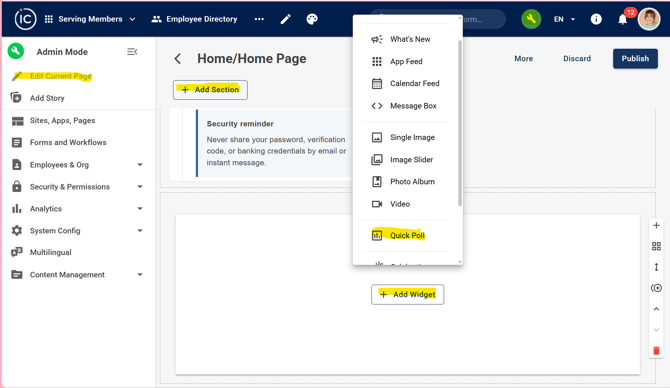
Edit Current Page > Add Section > Add Quick Poll Widget
Configure the Quick Poll Widget
- Enter a Title for the poll.
- Choose whether to Show Header.
- Enter your Question.
- Under Answers, enter the response options users can select.
- Click Add to add additional answer options.
- Use the drag handle to reorder the answers.
- Enable or disable Allow Multiple Selections to let users select more than one answer.
- Enable or disable Make Responses Anonymous.
- Select a Start Date for when the poll will become available.
- Select a Close Date for when the poll will end.
- Click Publish to save your changes.
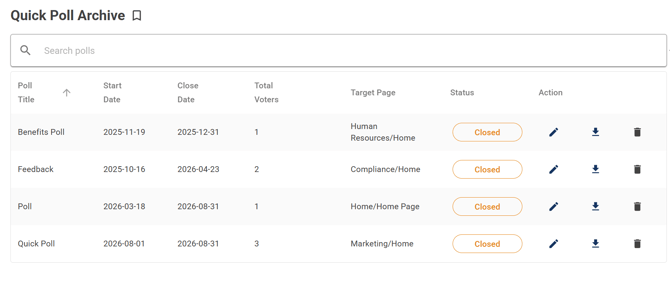
Quick Poll Archive
Page admins can access the Quick Poll Archive to view and manage previously created polls, including polls that have reached their Close Date.