
Important Update Notice
Some widgets may need to be relinked after this update.
We updated the underlying widget structure to improve stability and support future features.
If any widgets show missing or broken links after upgrading:
- Edit the affected widget
- Re-select the content, page, or source it links to
- Save and republish the page
This applies only to widgets created before the 3.5.0 update.
New Features
Storyboard
Storyboard is a new content presentation feature that allows organizations to display curated visual content in an engaging, structured format. It enables teams to highlight announcements, campaigns, or key messages in a visually driven layout.
Key capabilities include:
- Create visually structured content collections
- Display content as a sequence of visual slides or panels
- Support for images, titles, and descriptions
- Flexible placement across intranet pages
- Designed to improve storytelling and content discoverability
Storyboard helps organizations communicate important updates and initiatives in a more engaging and visual way across the intranet.

Image Slider Widget
The Image Slider widget allows administrators to create rotating image banners that highlight key content, announcements, or campaigns on intranet pages.
Key capabilities include:
- Display multiple images in a rotating slider
- Optional captions and titles for each slide
- Configurable display order
- Responsive layout that adapts across screen sizes
- Easy configuration directly within page builder
This widget helps organizations surface high-visibility content such as announcements, campaigns, and featured resources.

Microsoft Calendar Sync
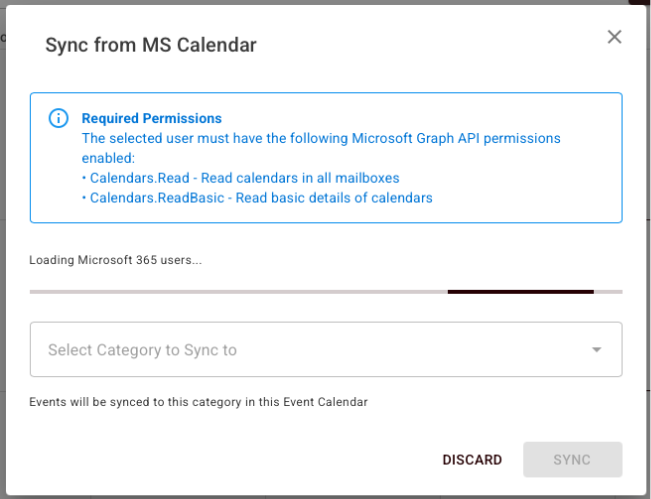
IC now supports syncing events from Microsoft calendars directly into IC Event Calendars.
Key capabilities include:
- Connect Microsoft calendars to IC
- Assign synced events to a selected IC calendar category
- Synced events follow IC category permissions and visibility rules
- Recurring events sync correctly with their assigned category
- Synced events respect IC scheduling rules and conflict handling
This allows organizations to keep IC calendars aligned with Microsoft calendar events without manual duplication.
Prevent Overlap Logic for Event Calendars
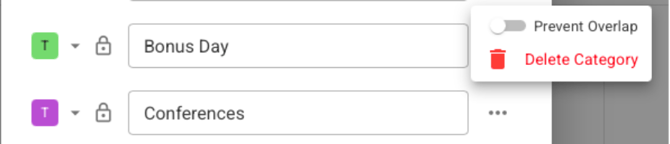
Event calendars can now enforce conflict prevention to avoid double-booking shared resources.
Key capabilities include:
- Categories can enforce Prevent Overlap
- When enabled, overlapping events cannot be published
- System detects conflicts before saving
- Conflict messages display event details including:
- Event name
- Start and end time
- Editing an event triggers the same conflict validation
This feature helps organizations manage shared spaces such as boardrooms, meeting rooms, and equipment calendars.
Standardized Site Map Component
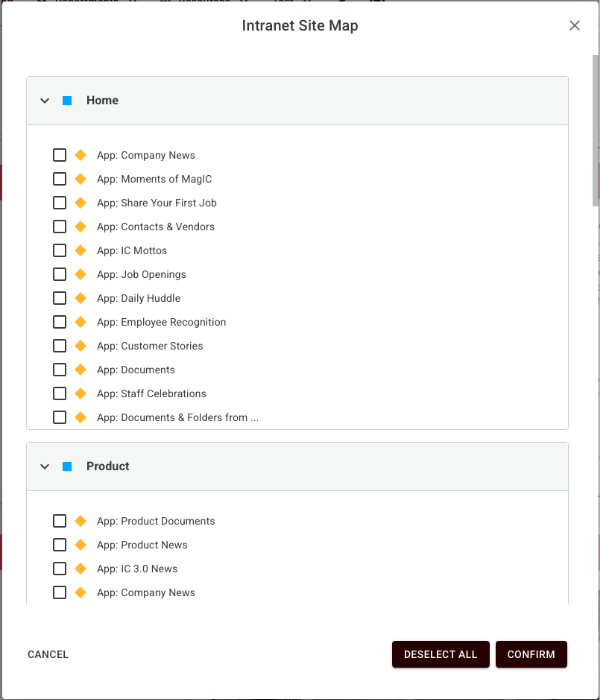
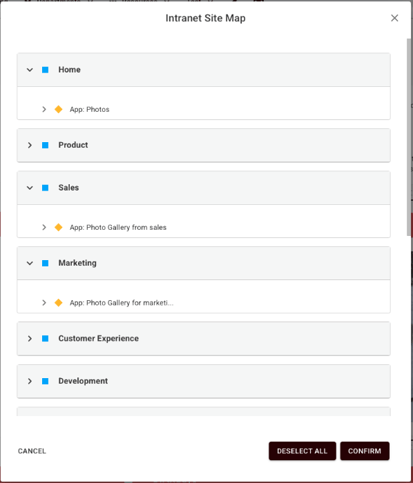
The Site Map component has been standardized across widgets to provide consistent navigation behavior.
Key improvements include:
- Complete hierarchical view of sites, pages, apps, folders, and items
- Expandable and collapsible navigation tree
- Persistent selection states when reopening widgets
- Consistent behavior across widgets that use the Site Map
- Improved loading states during navigation
This provides a more predictable experience when selecting content sources across widgets.
Improved Widget Source Selection
Widget configuration now includes improved content filtering and selection behavior.
Key improvements include:
- Widgets only display relevant apps and folders during configuration
- Multi-select support where applicable
- Clear selection indicators
- Ability to reset selections easily
- Accurate persistence of selections when reopening widget settings
This improves configuration clarity and reduces the chance of selecting incorrect content sources.
Bug Fixes
The following issues were resolved in this release.
- Improved consistency and loading behavior for the Site Map component used across widgets.
- Fixed filtering logic for widget source selection so only relevant apps and folders appear in configuration panels.
- Resolved issues affecting Microsoft Calendar event synchronization and category assignment behavior.
- Fixed conflict detection logic related to the Prevent Overlap event scheduling feature.
- Addressed issues related to managing synced calendars and assigning synced events to IC calendar categories.
These fixes improve overall stability for widget configuration, calendar synchronization, and event scheduling.