Skip to content
  • There are no suggestions because the search field is empty.

Assign User Roles

To ensure proper access and permissions, you can assign roles to user accounts.


Step by Step

1. Go to admin mode by clicking on the wrench icon top right

Go to admin mode by clicking on the wrench icon top right
 

2. Click on Security & Permissions

Click on Security & Permissions
 

3. Click on Logins

Click on Logins


4. Find an account: scrolling or search by name/email
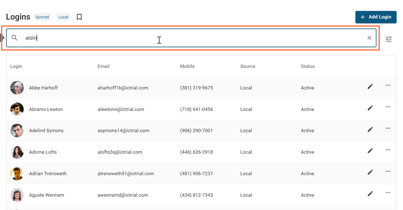
Screenshot 2026-05-01 130803


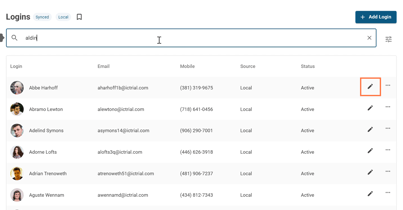
5. Click on the edit pencil button

Screenshot 2026-05-01 1308031


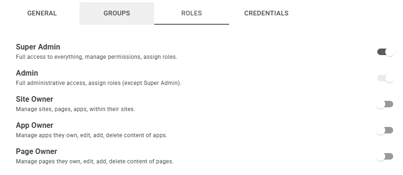
6. Click on ROLES

 Click on ROLES
 

7. Toggle user roles to assign