
This article provides a simple step-by-step guide on how to quickly change the theme of your IC 3.0 intranet. With just a few clicks, administrators can apply a new look and feel to match your organization’s branding or refresh the intranet design.
Follow these steps to update your theme:
1. Click on “Admin”

2. Click the “Palette” icon located in the top navigation bar

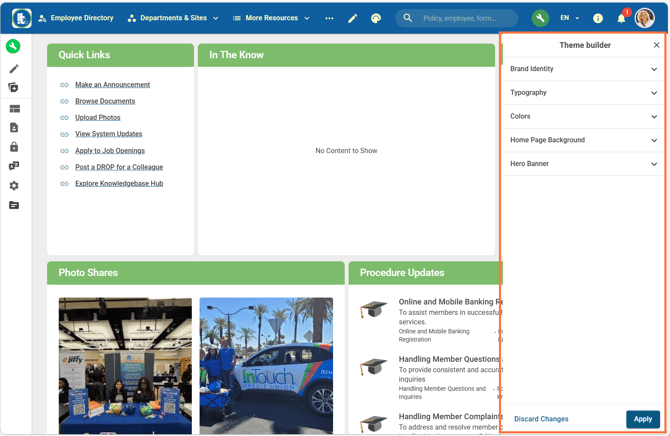
Within the Theme Builder you will see sections for Brand Identity, Typography, Colors, Home Page Background, Hero Banner. See below for the details of each section.
4. In the panel that opens on the right, select your desired theme. Once satisfied, click Apply to save your changes.
With IC 3.0 Quick Theming, you can easily keep your intranet design fresh and aligned with your organization’s style in just minutes.
Click here to check for the optimal image sizes for consistent quality across the platform.
Brand Identity
-
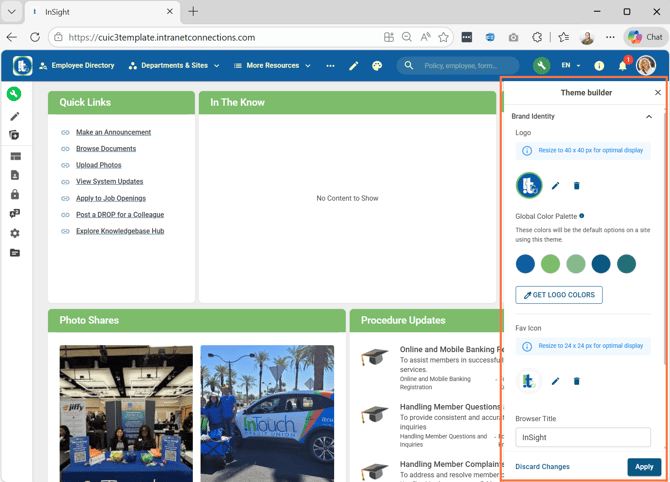
Logo - upload a logo here to populate the logo in upper left corner, recommended image size is 40 x 40 px
- Global Color Palette - click on Get Logo Colors to pull your corporate colors from your logo
- Fav Icon - upload an icon here to populate the icon displayed in the browser tab when your intranet site is open, recommended icon size is 24 x 24 px
- Browser Title - add your intranet name here to display the intranet name in the browser tab when your intranet site is open
Typography
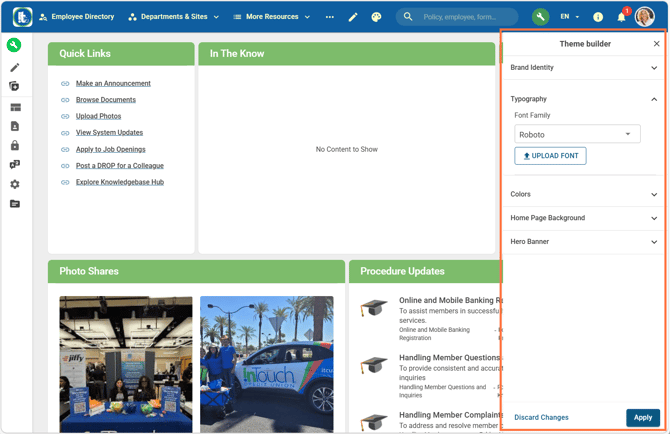
- Select a font for your intranet site from the dropdown
- Or upload your own font using the Upload Font button
- Browser Title - add your intranet name here to display the intranet name in the browser tab when your intranet site is open
Colors
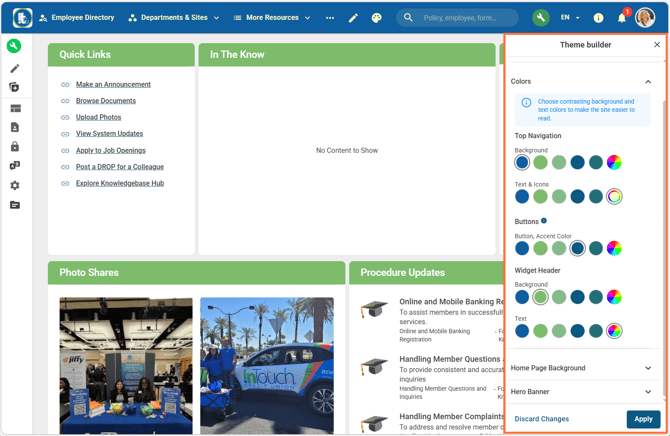
- Top Navigation
- Background - color of the global navigation menu bar at the top of the site
- Text & Icons - colors of the text and icons in the global navigation menu
- Buttons
- Button, Accent Colors - color of buttons (eg. "Apply" button, "Discard Changes")
- Widget Header
- Background - color of the widget headers
- Text - color of the text in the widget headers
Home Page Background
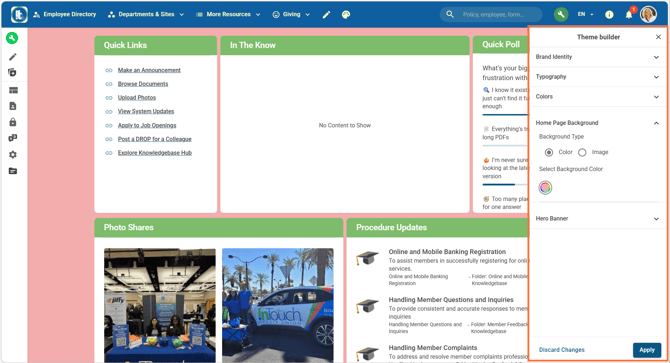
- Background Type - select Color or Image to change the page background (this is a global setting)
Hero Banner
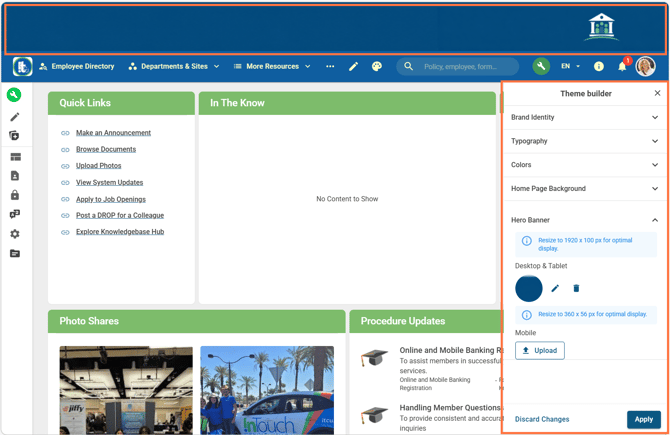
- Hero Banner - site banner displayed across the top of your site, recommended image size is 1920 x 100 px
- You can upload a Hero Banner for Desktop & Tablet and/or Mobile view
Check out our intranet design best practices here, for an engaging intranet.