
Step 1: Complete the IC 3.0 Migration Assessment
The first step is to fill out our Migration Assessment Form. This helps our team understand your current setup and ensures we tailor the migration plan to your environment, priorities, and timeline.
👉 Complete the Migration Assessment

It only takes a few minutes and helps us better support your success. Plus, it secures your place in our rollout queue.
Step 2: Stay Engaged with IC 3.0 Webinars
We host regular IC 3.0 webinars that provide live walkthroughs, product updates, and implementation tips. These sessions are a great way to see what’s coming, hear best practices, and ask questions directly.
👉 Register for Upcoming Webinars
Can’t attend live? No problem—recordings are sent afterward
Check out these past webinars:
.png?width=298&height=168&name=Launch%20party%20(1).png)
Welcome to Intranet Connections -> Watch Here
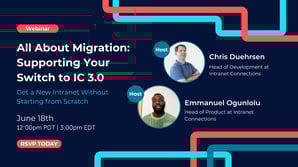
All About Migration: Supporting Your Switch to IC 3.0 -> Watch Here
Step 3: Explore Helpful IC 3.0 Resources
To support your learning and planning, we’ve created a few key documents:
IC 3.0 Landing Page
Our most comprehensive source for everything 3.0. Find links to events, product photos and more here.
IC 3.0 FAQ
Get quick answers to the most common questions about features, migration, hosting, and more.
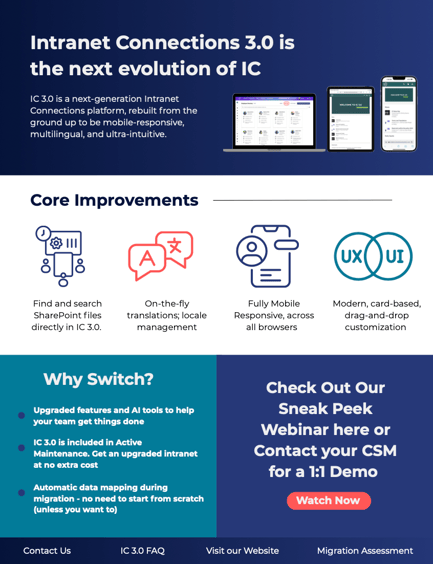
IC 3.0 One-Pager
A visual overview of what’s changing, what’s new, and what’s staying familiar.
Step 4: Sign Up For Our Newsletter (The Source)
Get all your IC news in one place, once a month? From event announcements, to exclusive behind the build looks, The Source has it all.
Need More Help?
If you have any questions or want to talk through your migration in more detail, your Customer Experience team is here to support you every step of the way.
Reach out to your CSM or contact us directly at customercare@intranetconnections.com.