
What Is Included in the Migration
- Form structure (questions, fields, workflow logic) can be recreated or rebuilt in IC 3.0
- New form submissions will be fully supported in IC 3.0
What Is NOT Included in the Migration
- Historical form responses submitted in IC 2.0
- Previously collected submission data tied to legacy forms
Form Types and Fields Not Yet Supported
As part of the transition to IC 3.0, some form types and fields are not currently supported in the initial release. These may be considered for future roadmap enhancements.
Form Types Not Supported (Initial Release):
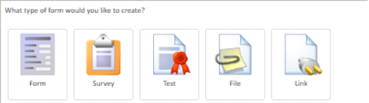
- Survey
- Test
- File
- Link
Fields Not Supported (Initial Release):
- Mileage (under review for potential inclusion in future roadmap)
- SQL (not supported due to dependency on legacy database structure) – During the migration, SQL fields will be converted to dropdown fields, with the options of the last query done before migration.
If your organization currently relies on any of these form types or fields, we recommend reviewing their usage during migration planning and identifying alternative approaches where needed.
Why Historical Form Data Is Not Migrated
There are several reasons for this approach:
- Data structure differences between IC 2.0 and IC 3.0
- Performance and scalability considerations in the new platform
- Migration complexity and cost, particularly for large datasets
To ensure a smooth and reliable migration experience for all customers, historical form data is excluded from automated migration.
Want a full overview of the migration process? Check out the article "Migrating from IC 2.0 to IC 3.0".
Recommended Options for Preserving Historical Data
We strongly recommend planning to ensure you retain access to any historical form responses your organization may need.
Option 1: Export Form Responses to CSV (Recommended)
Exporting your form data allows you to retain a complete record in a simple, accessible format.
Benefits:
- Easy to search, filter, and analyze
- Can be stored securely within your organization
- No dependency on legacy systems
Suggested Steps:
- Identify forms with important historical data
- Export responses from IC 2.0 as CSV files
- Store files in a secure, shared location (e.g. IC 3.0 Documents App)
- Communicate access to relevant stakeholders
Option 2: Temporary Access to IC 2.0 (On-Premise Customers Only)
If you manage your own infrastructure, you may choose to retain access to your IC 2.0 environment for a limited time.
Considerations:
- Requires maintaining your own infrastructure (you can have IC 2.0 + 3.0 installed on the same server to save on costs)
- Intended as a temporary reference solution only
Best Practices
- Begin reviewing form usage early in your migration planning
- Prioritize forms used for compliance, HR, or reporting purposes
- Establish an internal process for storing and accessing exported data
- Communicate expectations to internal teams ahead of migration
Preparing in advance will ensure your organization retains access to critical information without disruption.
Looking for our full migration guide? Check out this article here.
If you have questions about your migration plan, please contact our Customer Success Team by emailing customercare@intranetconnections.com.