
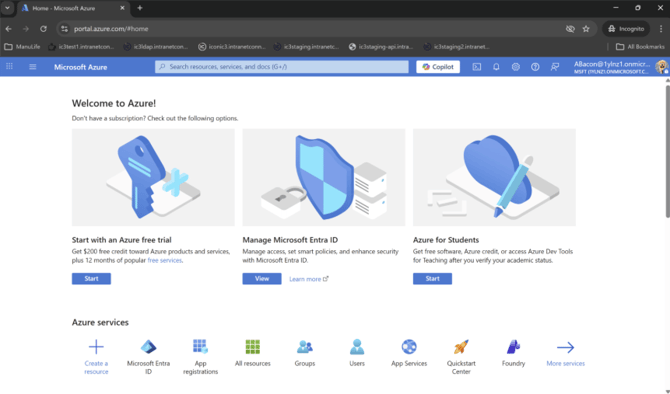
1. Go to https://portal.azure.com and log in with your company credentials.
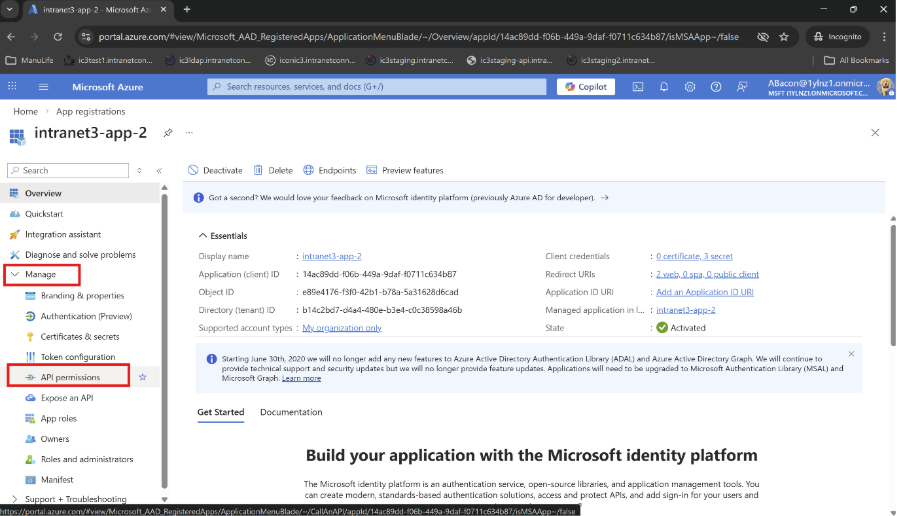
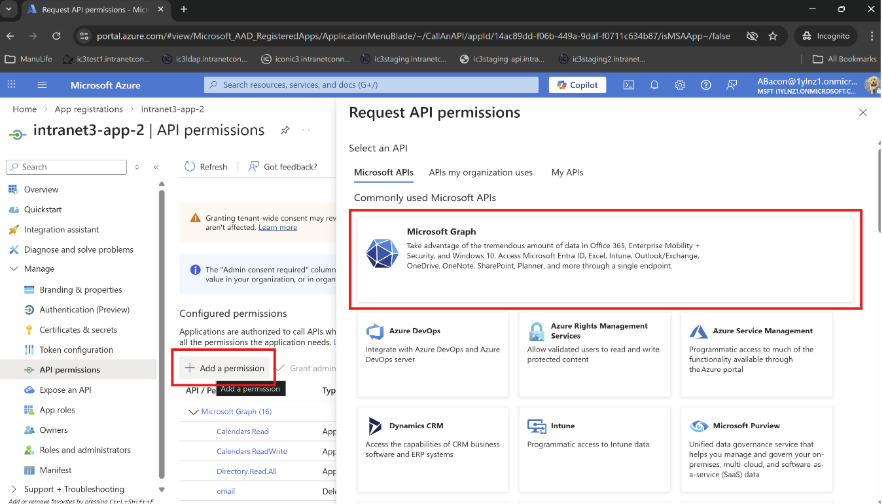
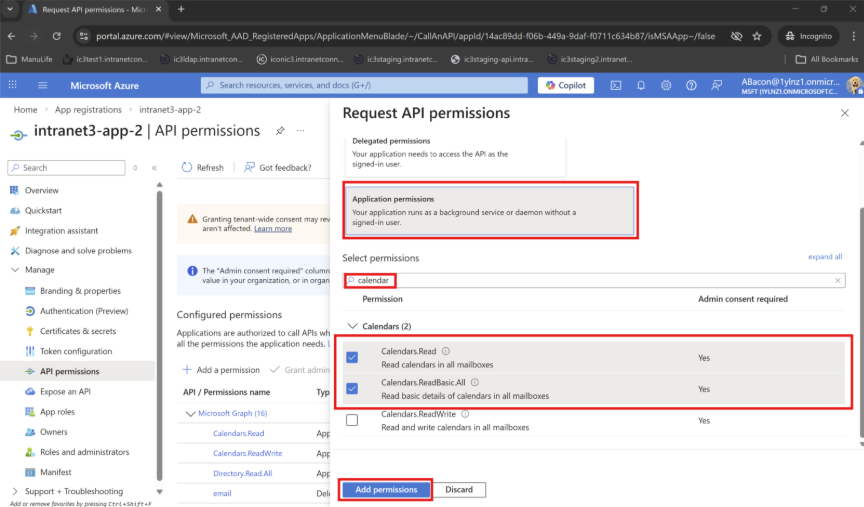
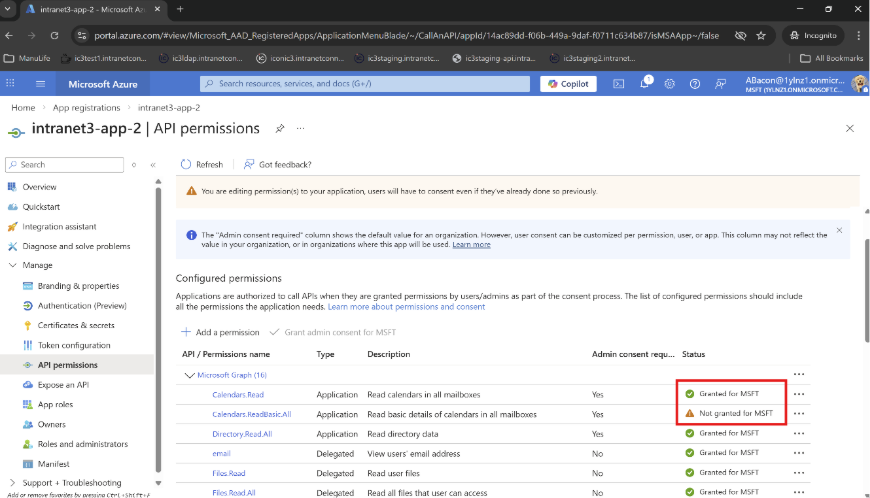
8. Verify Permissions: Ensure the new calendar permissions appear in the API permissions list and that the status shows 'Granted for <organization>'.
Notes
If you do not have permission to grant admin consent, contact an Azure administrator to complete that step. Without admin consent, the application may not be able to access calendar data.